
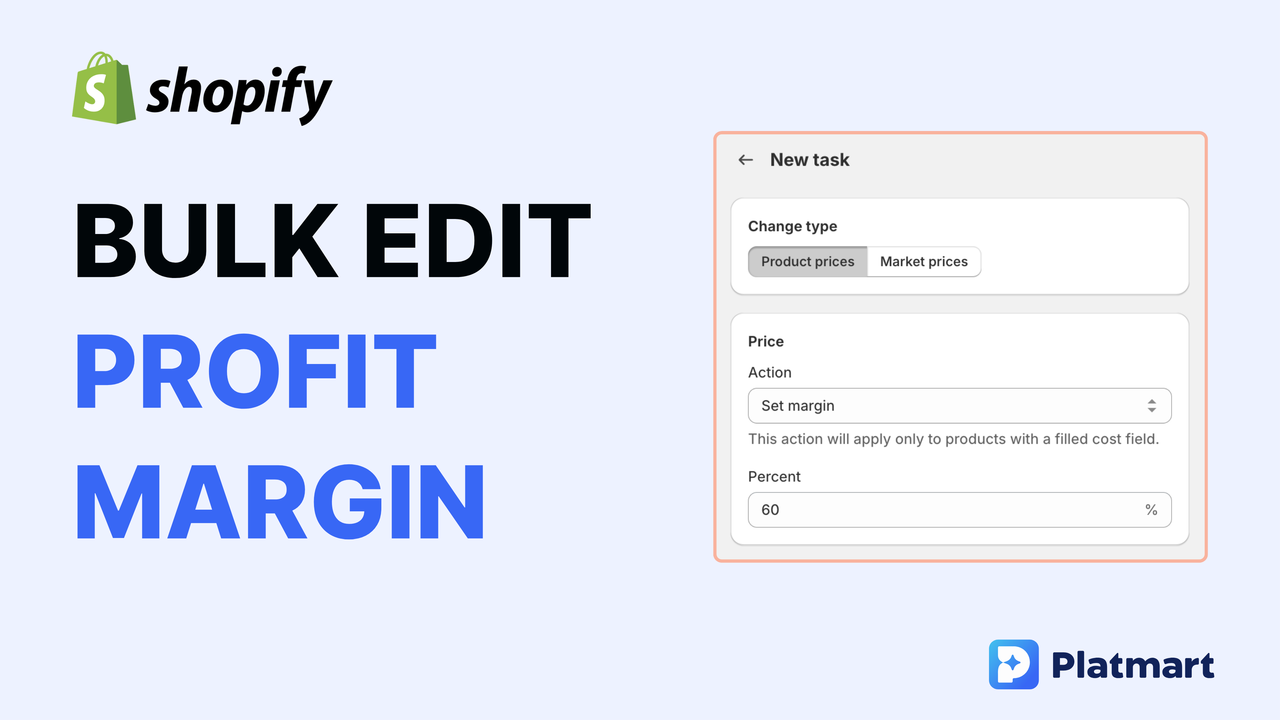
Shopify shows you the profit margin on each product, but the field is read-only. You can’t type “60%” and have it set the price for you. Calculating it manually is fine for one product - not fine for 500.
This article shows how to bulk edit profit margin across your catalog using Platmart Bulk Price Editor, without spreadsheets or manual math.
In Shopify, you enter two things:
Shopify then calculates the profit margin for you. This is the gross profit margin on each product - not your net profit after shipping, taxes, and fees. But it’s the number most merchants use to price their products, and it’s what we’ll be working with here.
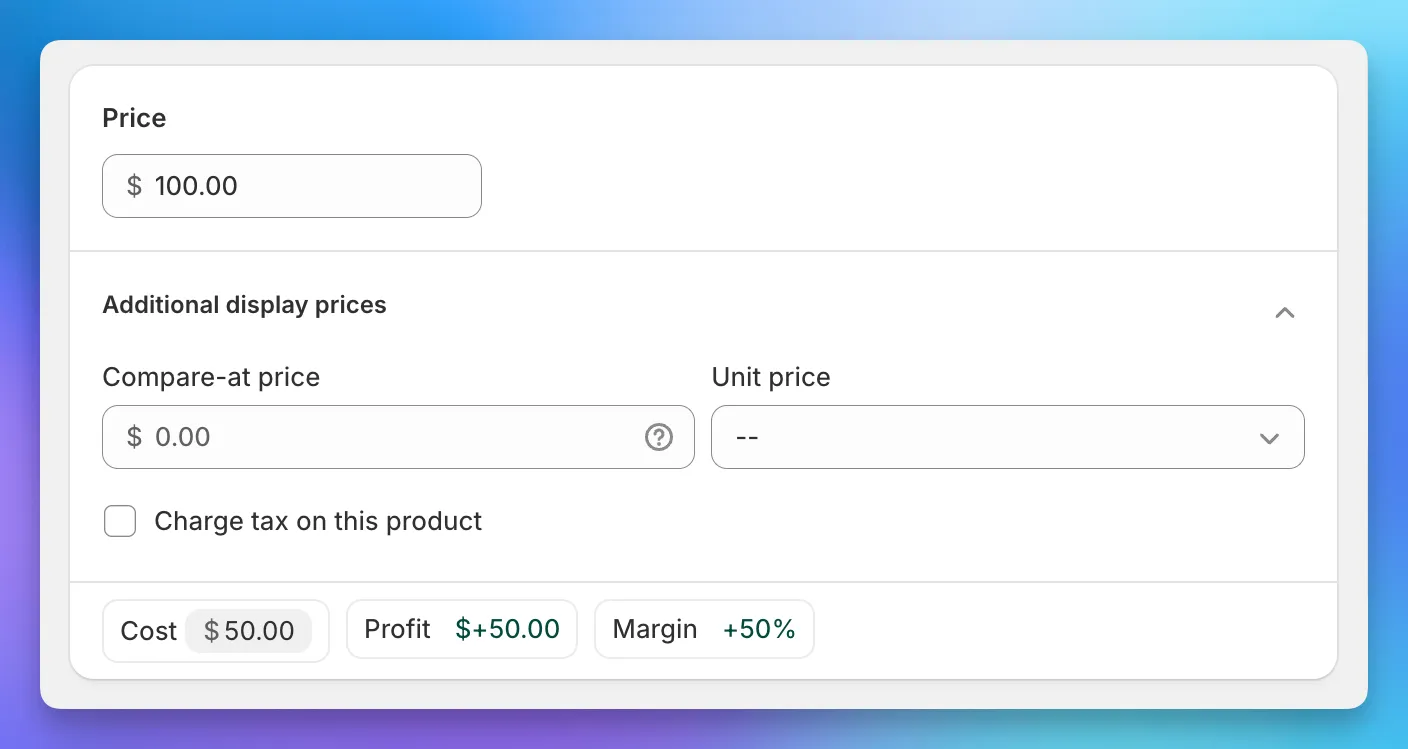
The problem: you can’t work backwards. You can’t say “I want 60% profit margin” and have Shopify calculate the price.
If you want to do it manually, the formula is: Price = Cost ÷ (1 - Margin)
For example, to get 60% margin on a $50 cost item: $50 ÷ (1 - 0.6) = $50 ÷ 0.4 = $125.
Most merchants do this with spreadsheets:
It works, but it’s slow. And if your supplier raises prices next month, you do it all again.
I built Platmart Bulk Price Editor for exactly this problem. You tell the app what profit margin you want, and it calculates the prices for you.
No formulas. No spreadsheets.
Open the app and click Create Task. Select Set New Margin.
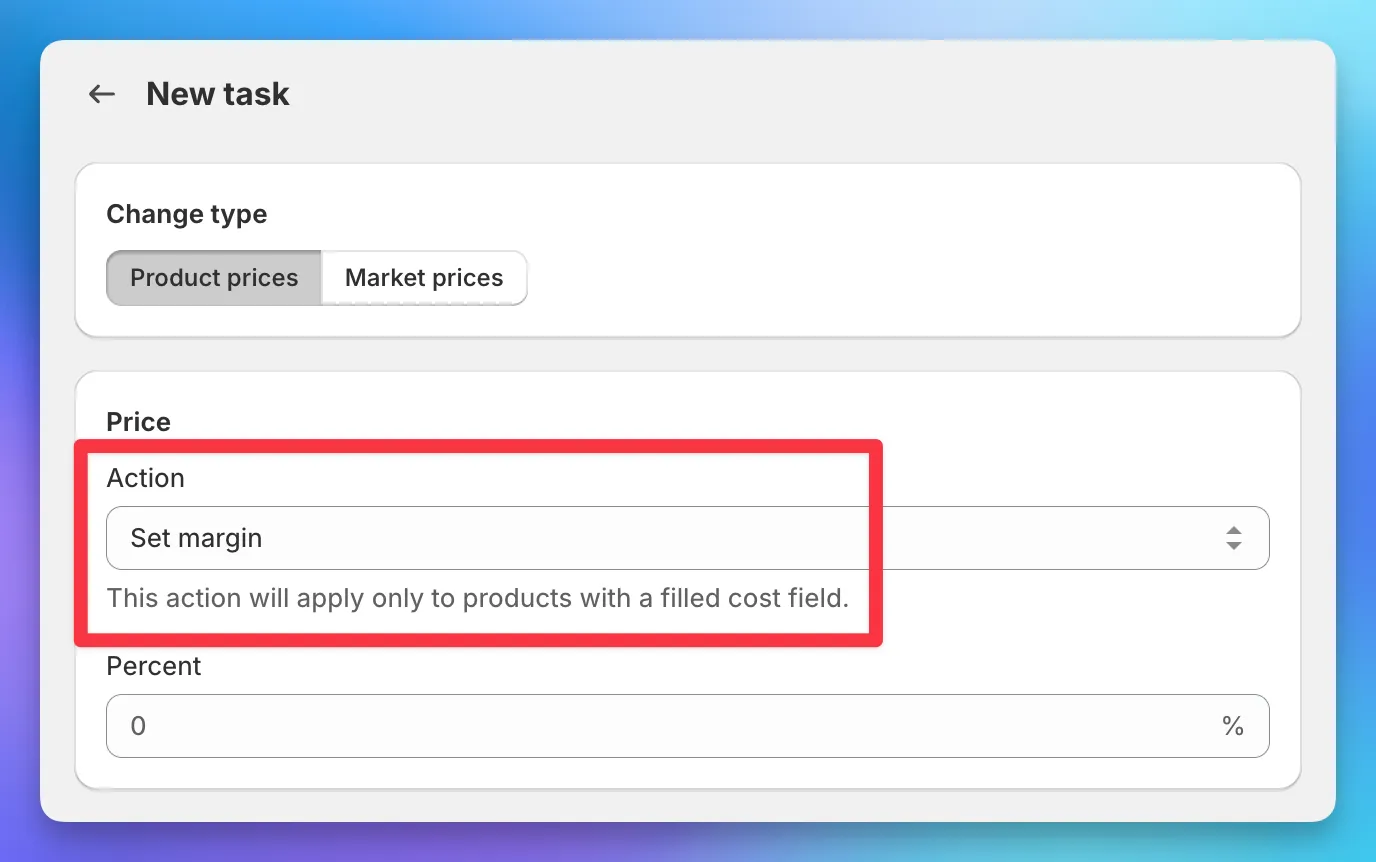
Note: This only works if you have “Cost per item” filled in for your products. The app needs to know your cost to calculate the margin.
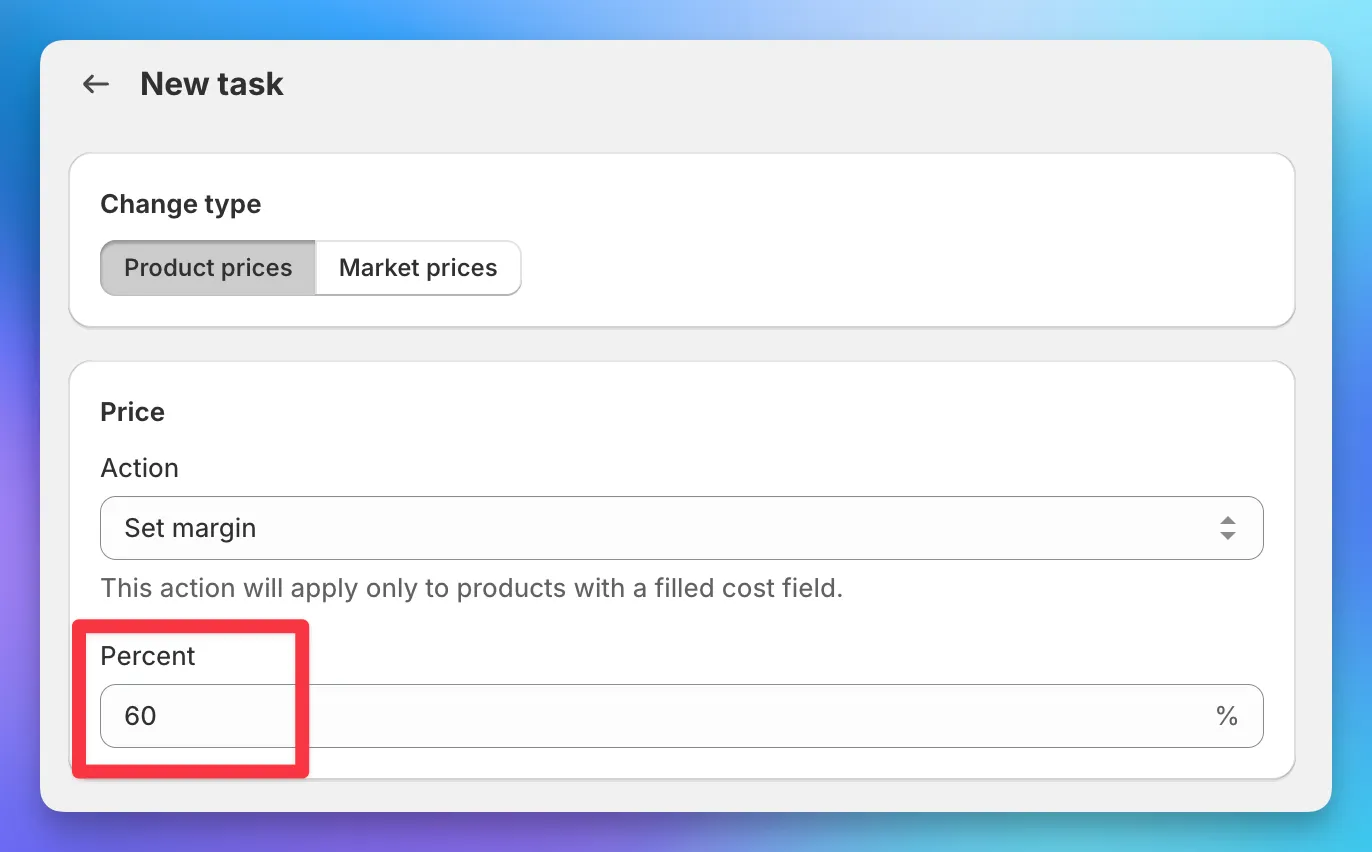
Type the margin you want. For this example: 60%.
You can apply this to:
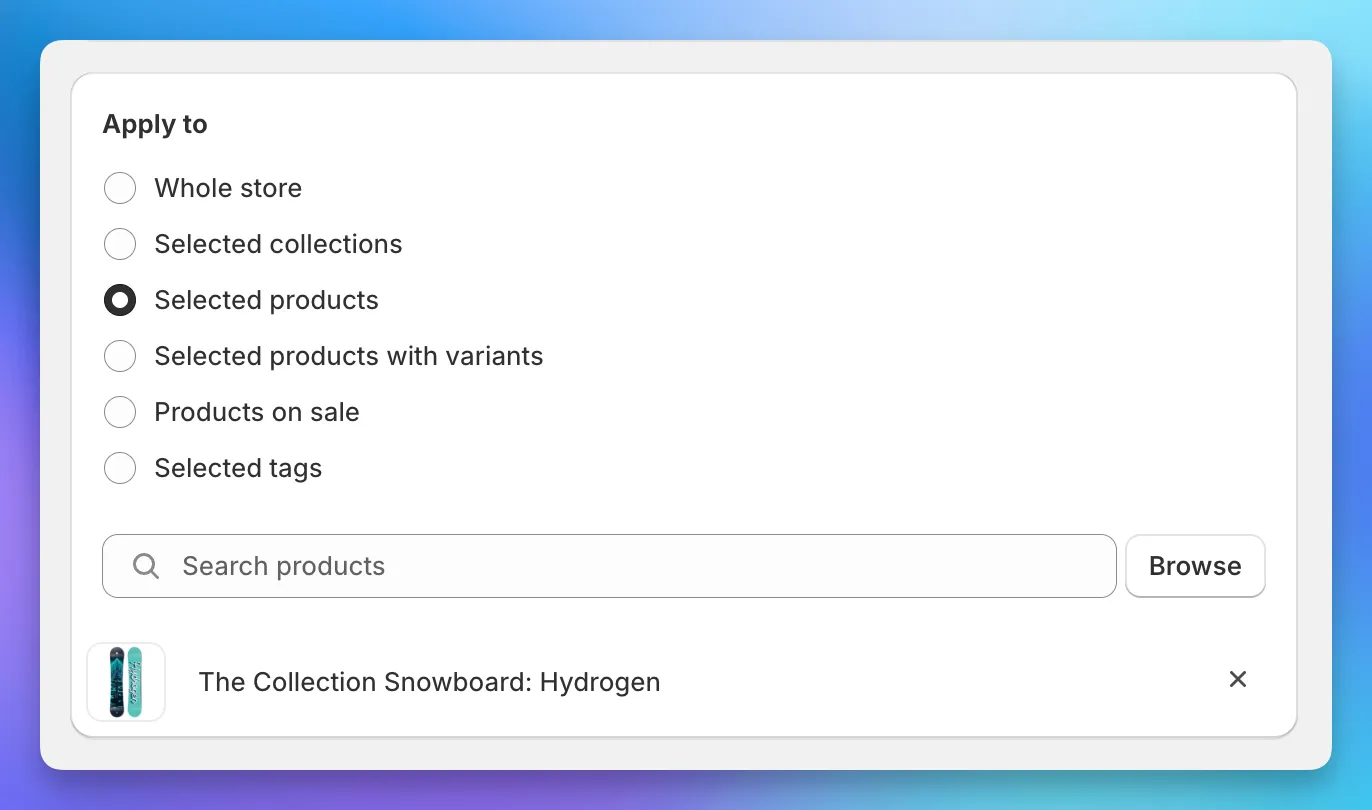
You can also create different tasks for different collections. Maybe 60% on accessories, 40% on sale items.
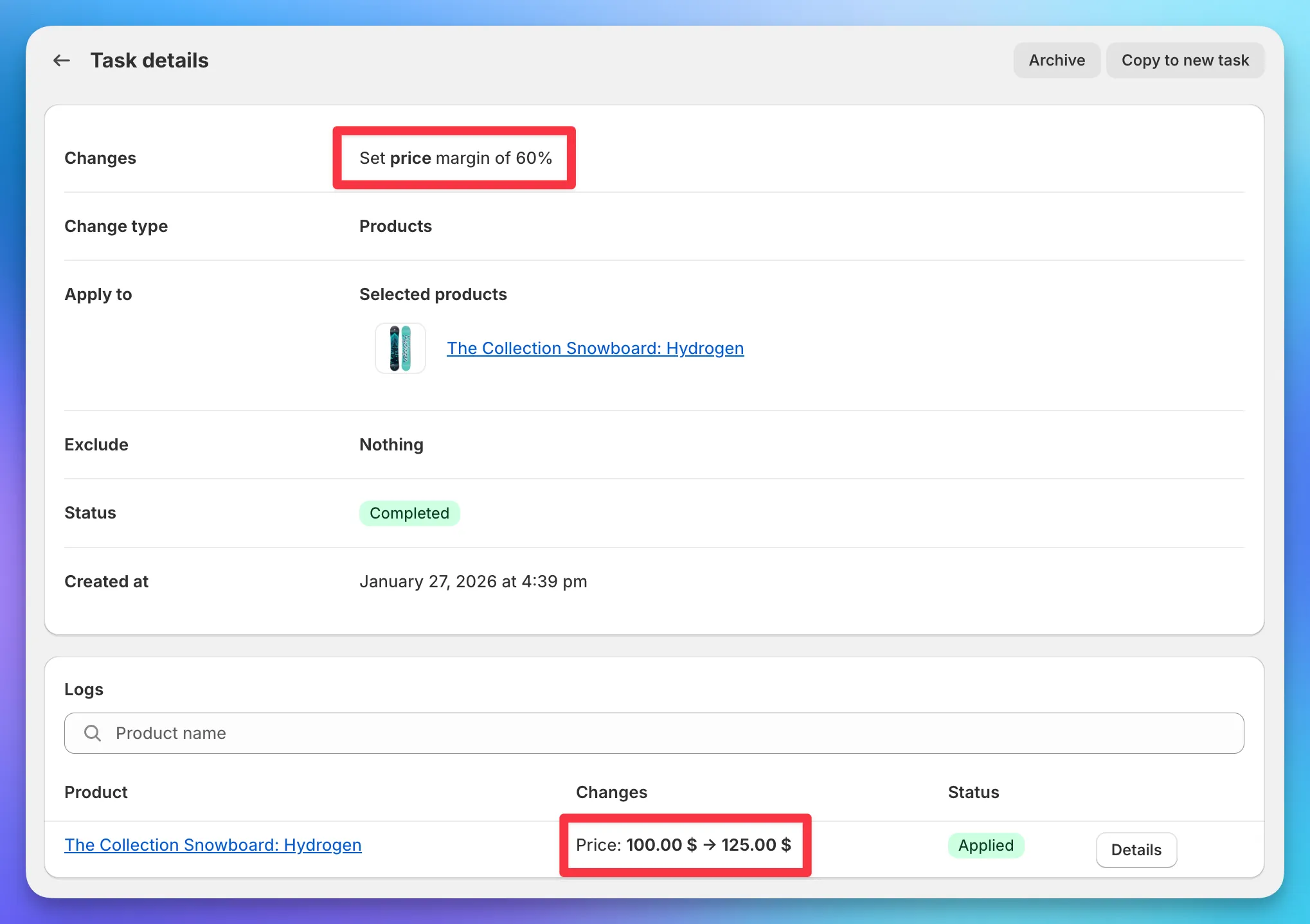
Click Create. The app will:
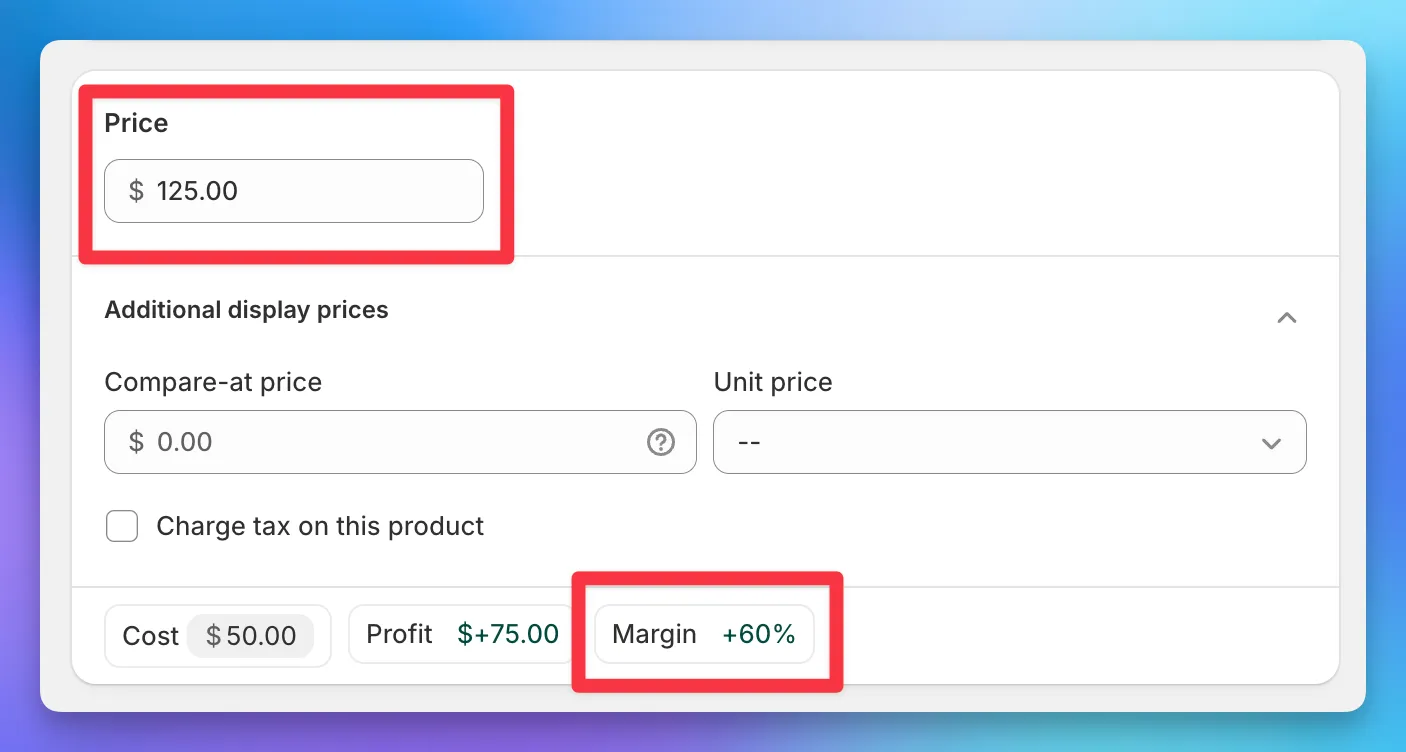
Example: A product with $50 cost and $100 price (50% margin) becomes $125 (60% margin).
Go back to Shopify. The price now shows $125 and the margin shows 60%.
Done. No spreadsheet. No calculator.
Every change can be undone with one click.
Find the task in your history and click Rollback. Your prices go back to what they were before.
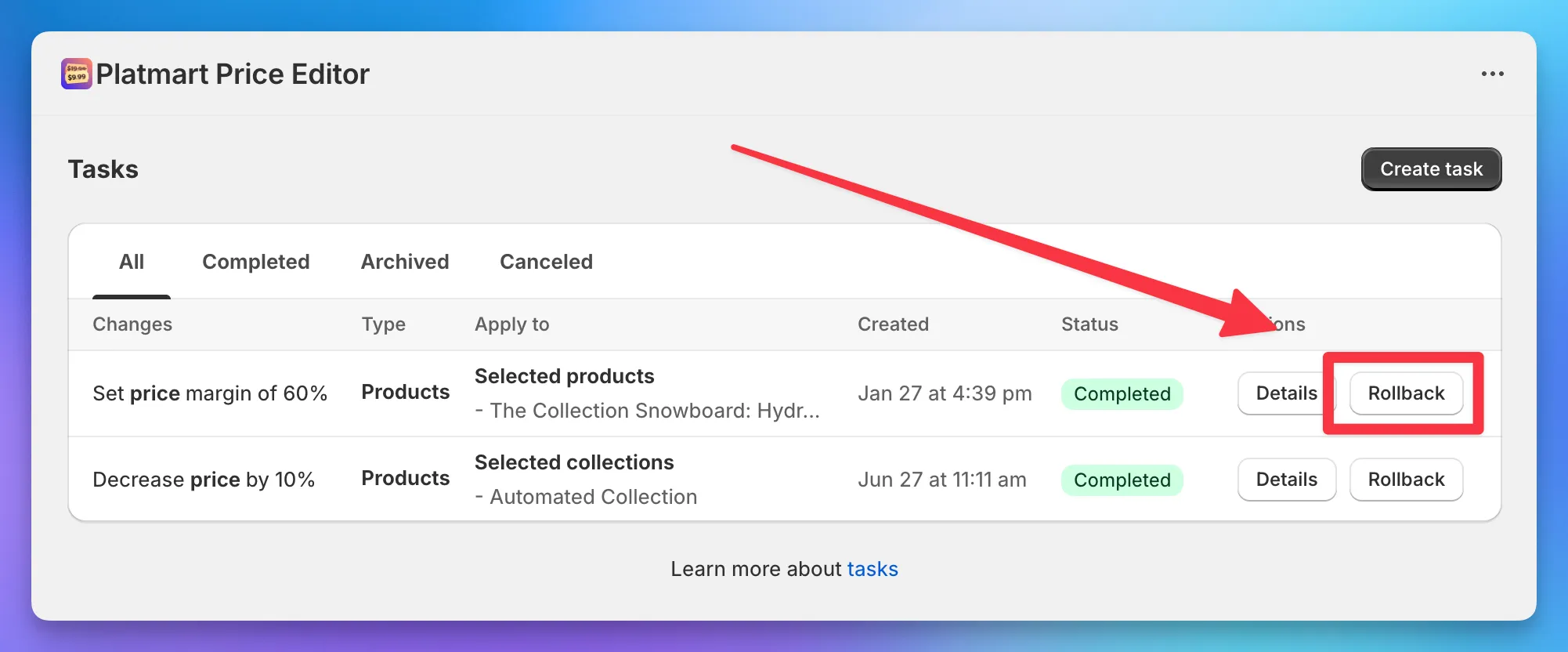
This makes it safe to try things. Nothing is permanent until you’re happy with it.
This feature helps most when:
If you rarely change prices, you probably don’t need this. But if pricing is part of your weekly work, it saves hours.
Here’s a 3-minute demo:
No. Shopify calculates profit margin from your price and cost, but the margin field is read-only. You can see the margin, but you can't type in it. To get a specific profit margin, you need to calculate and enter the price yourself.
Price = Cost ÷ (1 - Margin). For 60% margin on a $50 cost item: $50 ÷ 0.4 = $125.
Shopify's bulk editor can change prices, but you have to enter the exact price for each product. It can't calculate prices from a target profit margin. You need a third-party app for that.
Apps that calculate margin need to know your cost. If the "Cost per item" field is empty in Shopify, margin-based pricing won't work for those products. Fill in your costs first.
With Platmart Bulk Price Editor, yes. Every change is saved and can be rolled back with one click. Native Shopify bulk editing doesn't have this - changes are permanent.
Platmart Bulk Price Editor is on the Shopify App Store. The margin feature is available on the Advanced plan.
Get Platmart Bulk Price Editor →