Bulk Price Editor

Changelog

Latest updates and improvements to Bulk Price Editor.

Take a discount off the full price

A 20% sale on a collection where some products are already discounted used to take 20% off their already lower price. Now set Relative to to Compare at price under Decrease, and every product gets 20% off its full price: a product at 90 with a compare-at price of 99 goes to 79.20, and one at 100 without a compare-at price goes to 80.
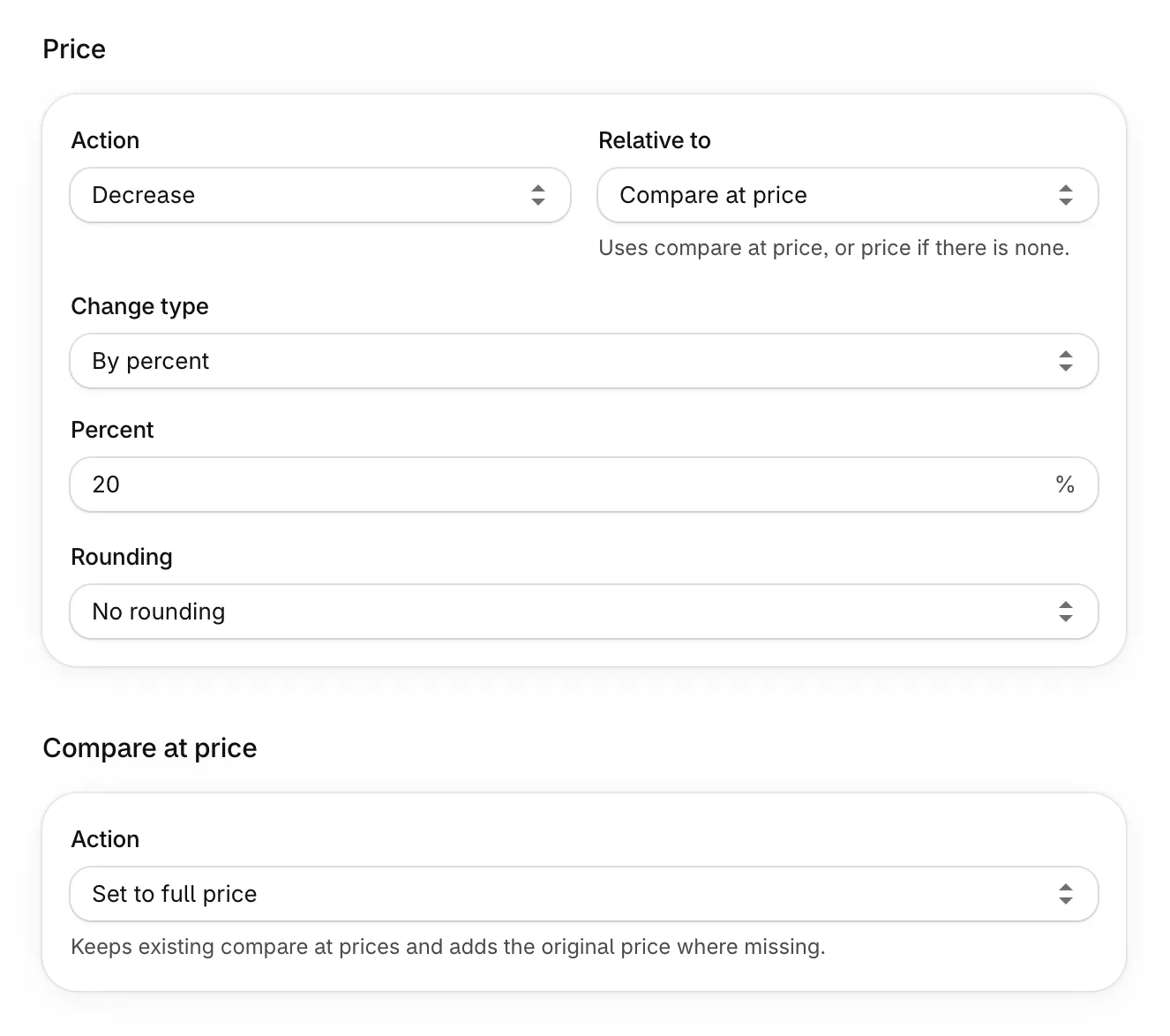
The Price card with Action set to Decrease, Relative to set to Compare at price and Percent 20, and the Compare at price card with Action set to Set to full price
Read more →

Set sale prices from a CSV file

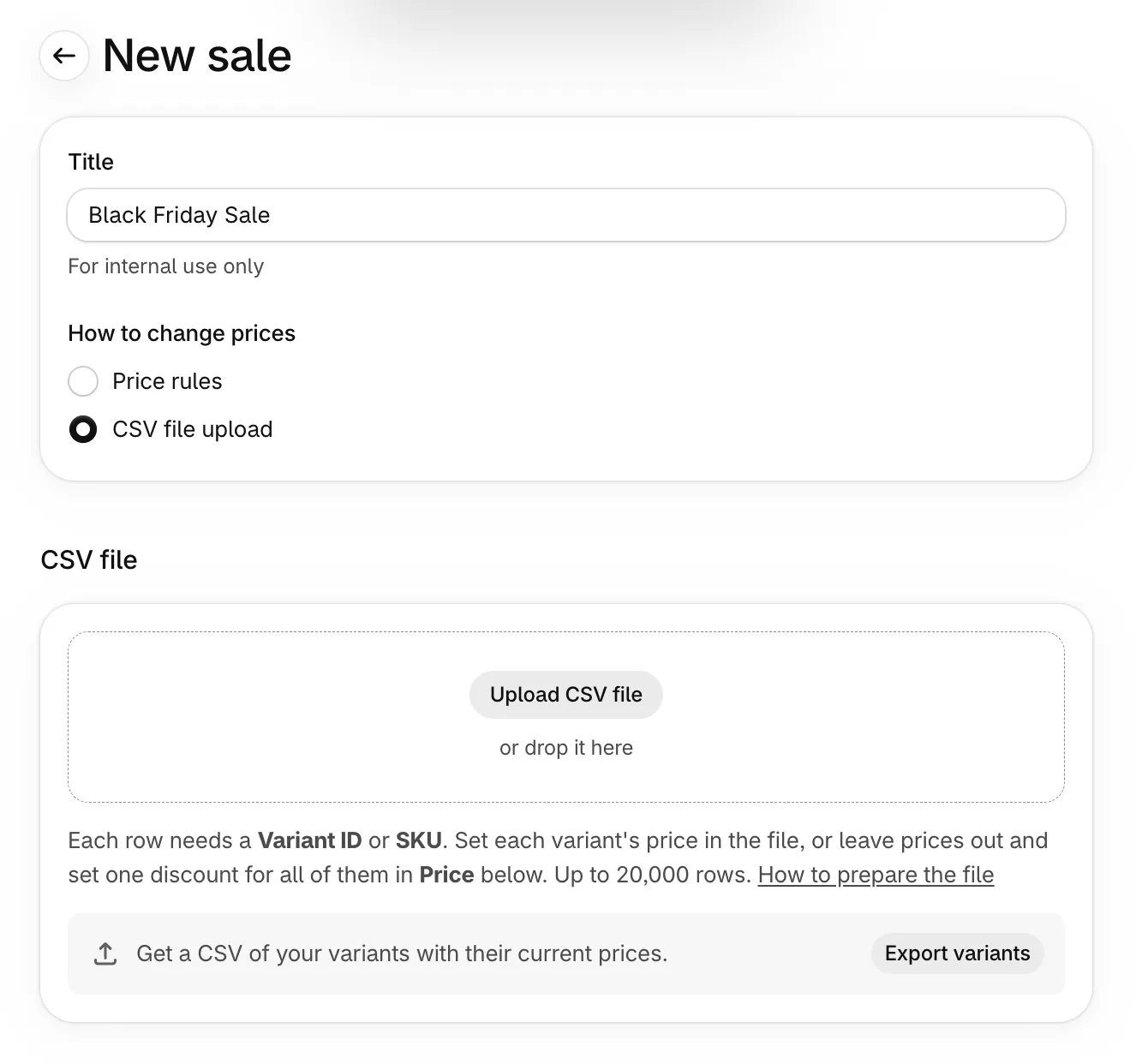
Some sales need a different price for each product, or cover more products than you can pick one by one. A sale can now take its variants from a CSV file that lists them by Variant ID or SKU, with a sale price and compare-at price for each one if you want. Choose CSV file upload under How to change prices when you create a sale.

The new sale form with How to change prices set to CSV file upload, and the CSV file card with Upload CSV file and Export variants
Read more →

Preview price changes before they go live

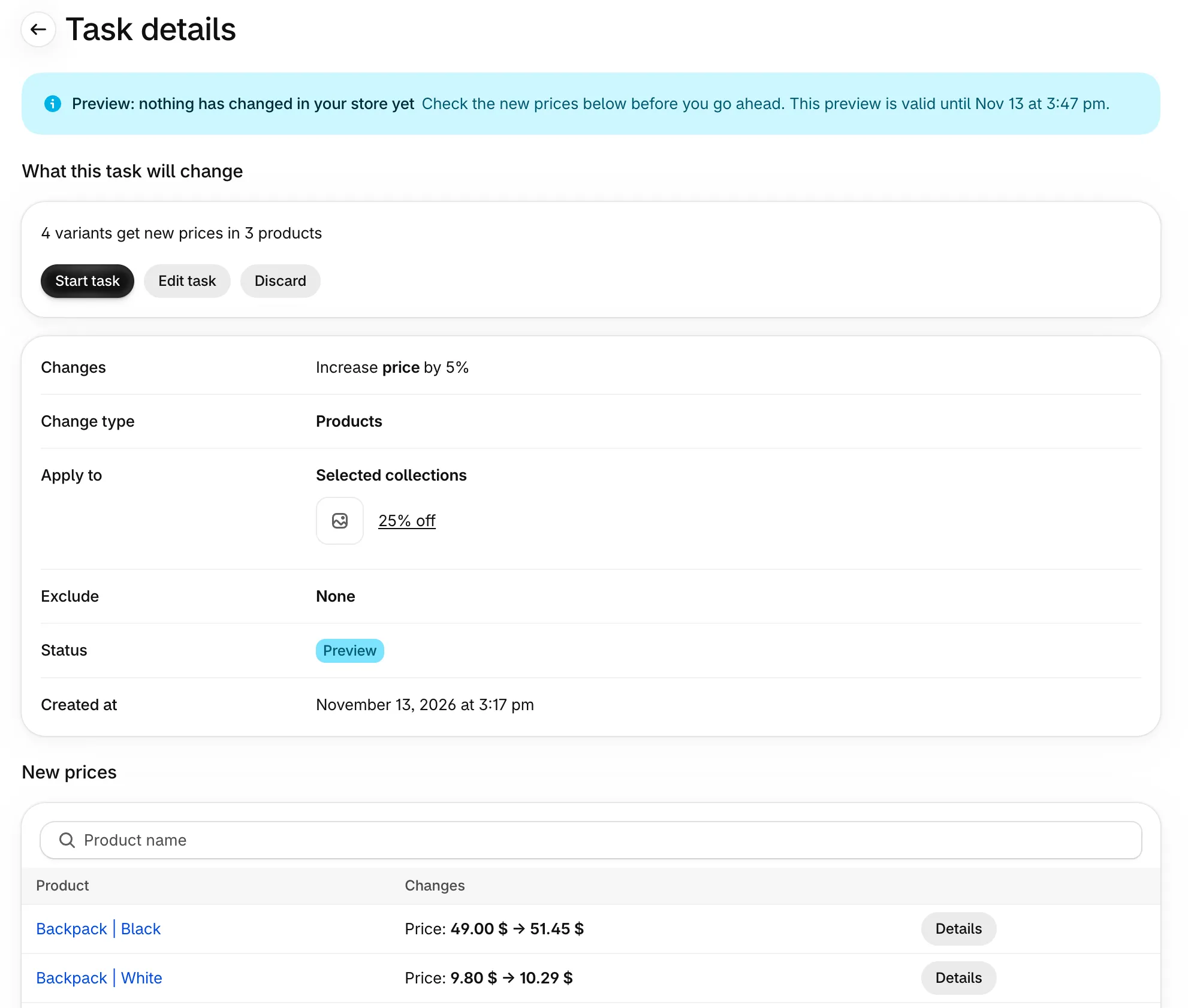
Not sure a task or sale picks the right products? Click Preview changes instead of Create. Bulk Price Editor finds the matching products and shows each one’s current and new price, including compare-at prices, costs and market prices, without changing anything in your store yet.

A task preview with the preview banner, the summary with Start task, Edit task and Discard, and the New prices list showing current and new prices
Read more →

Gift cards stay out of your sales

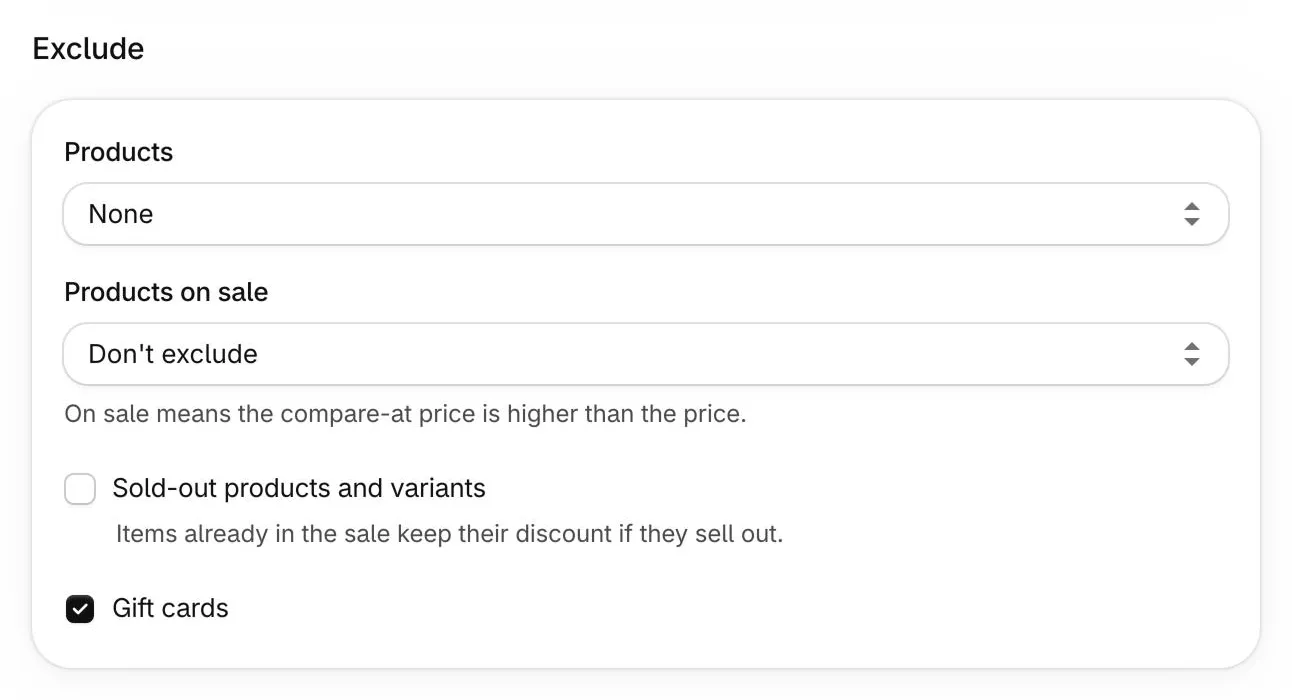
A store-wide sale used to discount your gift cards too, so a customer could buy $50 of store credit for $40. New sales now leave gift cards out on their own, even when a gift card is in a collection or tag you picked.

Exclude card on the sale form with Products set to None, Products on sale set to Don't exclude, and Gift cards checked
Read more →

Block discount codes on sale items

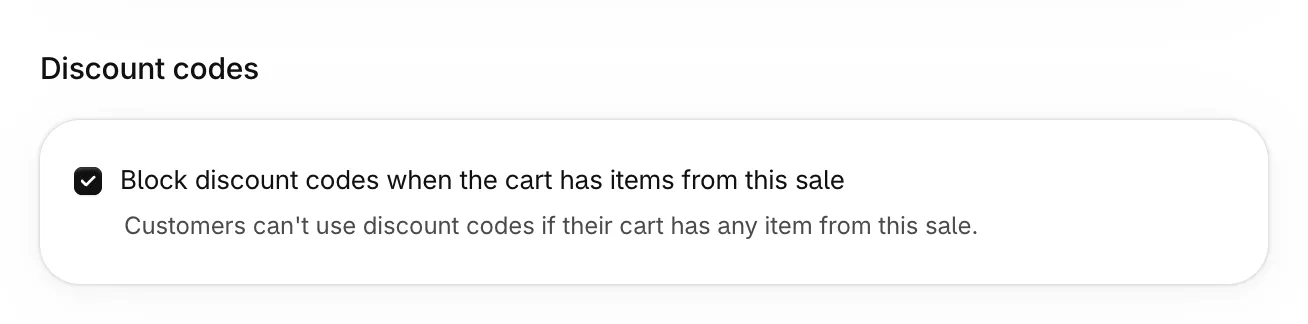
Customers can stack a discount code on top of your sale price and get two discounts. Platmart Bulk Price Editor sales can now prevent that. When you create or schedule a sale, select Block discount codes when the cart has items from this sale.

The Discount codes card on the sale form with Block discount codes when the cart has items from this sale selected
Read more →

Exclude sold-out products

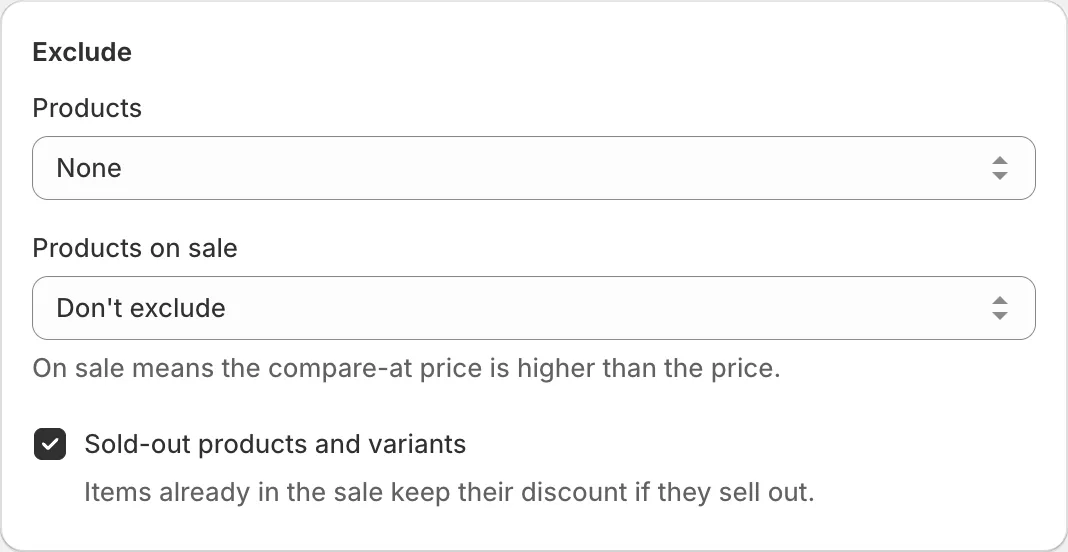
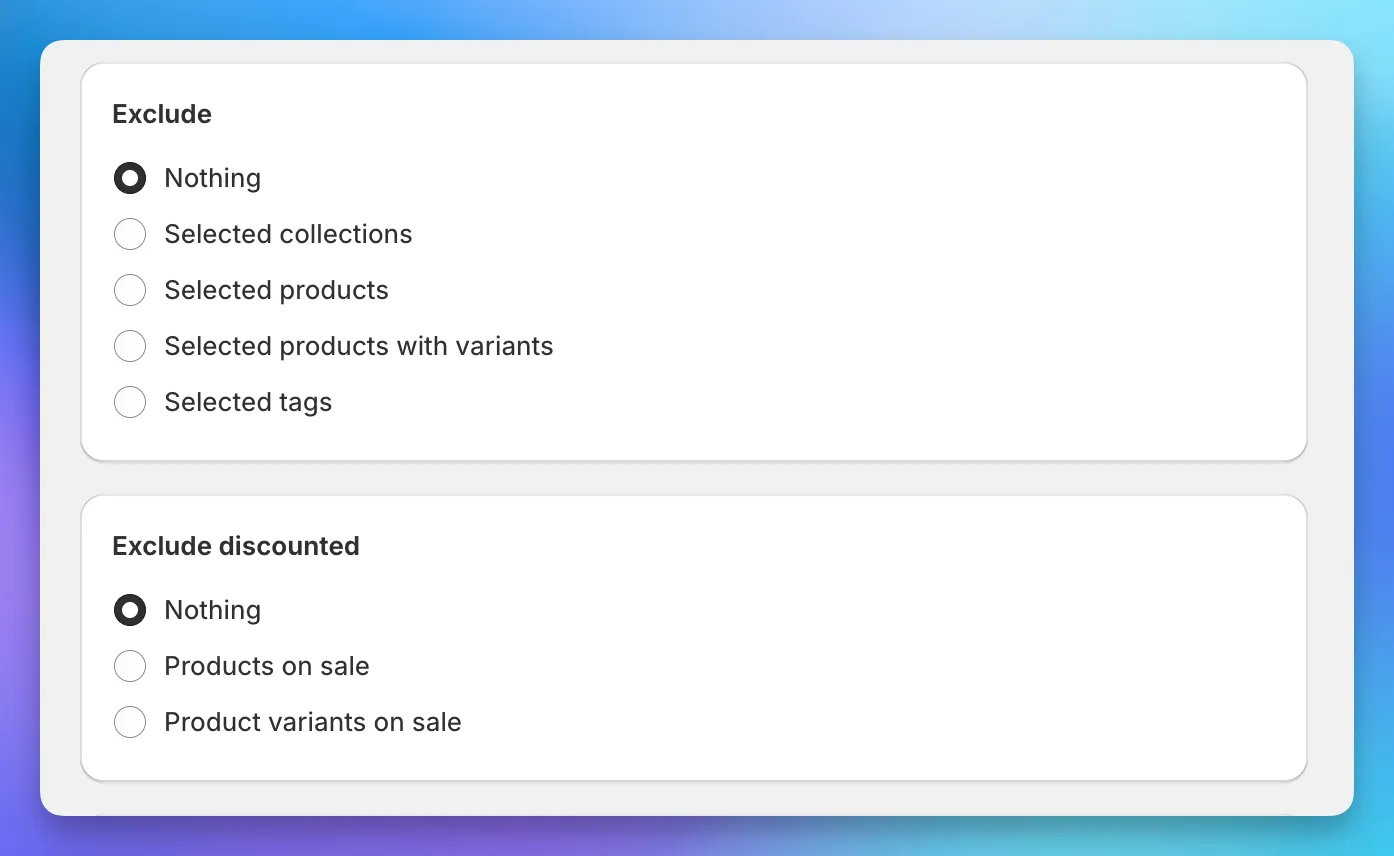
Tasks and sales can now skip products and variants that are sold out in Shopify. Turn on Sold-out products and variants in the Exclude card, so sale badges don’t show on items customers can’t buy.

Exclude card with Products set to None, Products on sale set to Don't exclude, and Sold-out products and variants checked
Read more →

Schedule tasks to start later

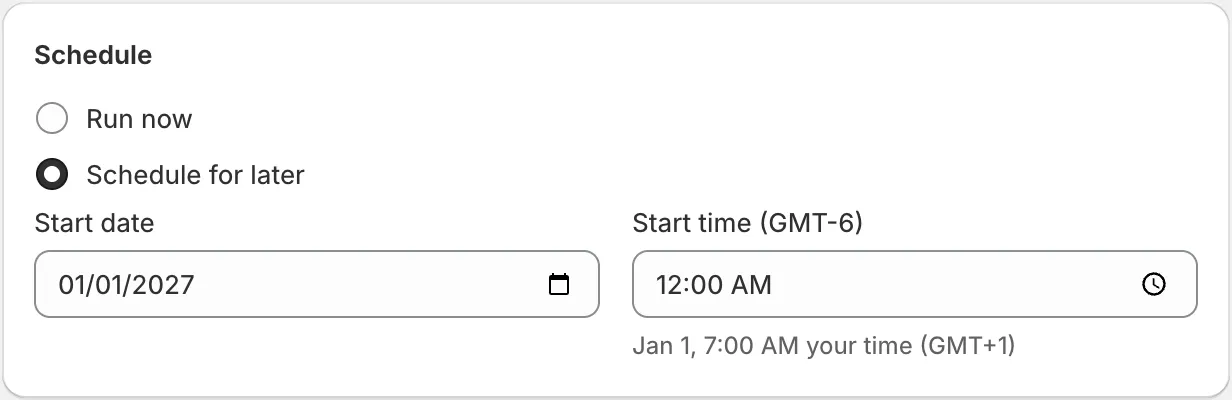
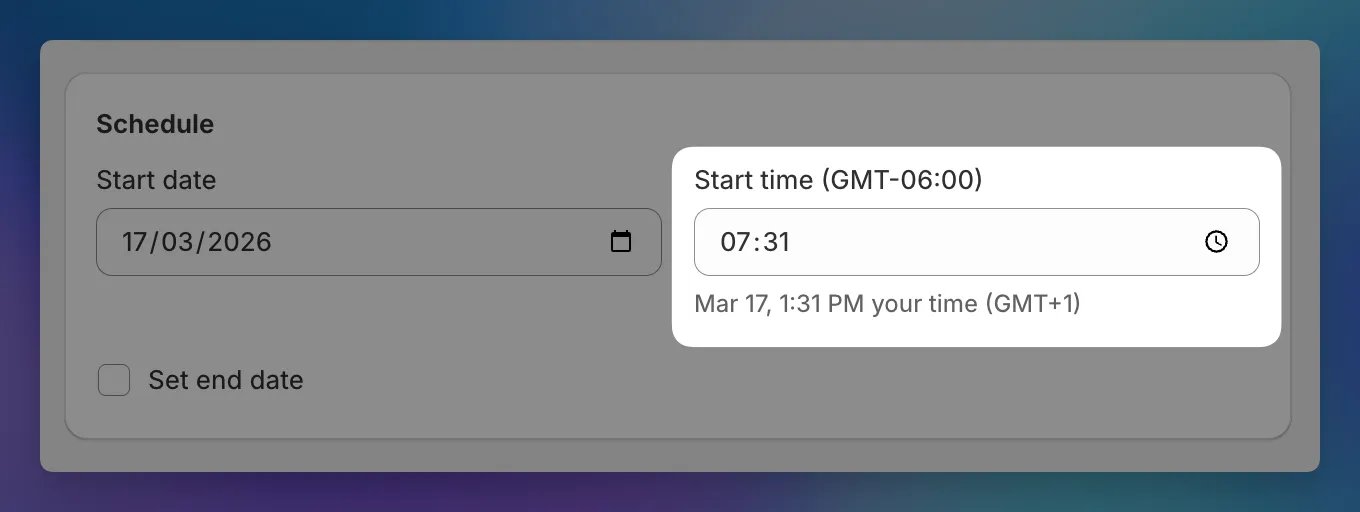
You can now schedule a task to start at a date and time you choose, like a price increase on January 1. In the Schedule card, pick Schedule for later and enter the start date and time in your store’s timezone. Your own local time shows right below it.

Schedule card with Schedule for later selected, a start date of January 1 at 12:00 AM, and the local time below
Read more →

Edit markets that share a catalog

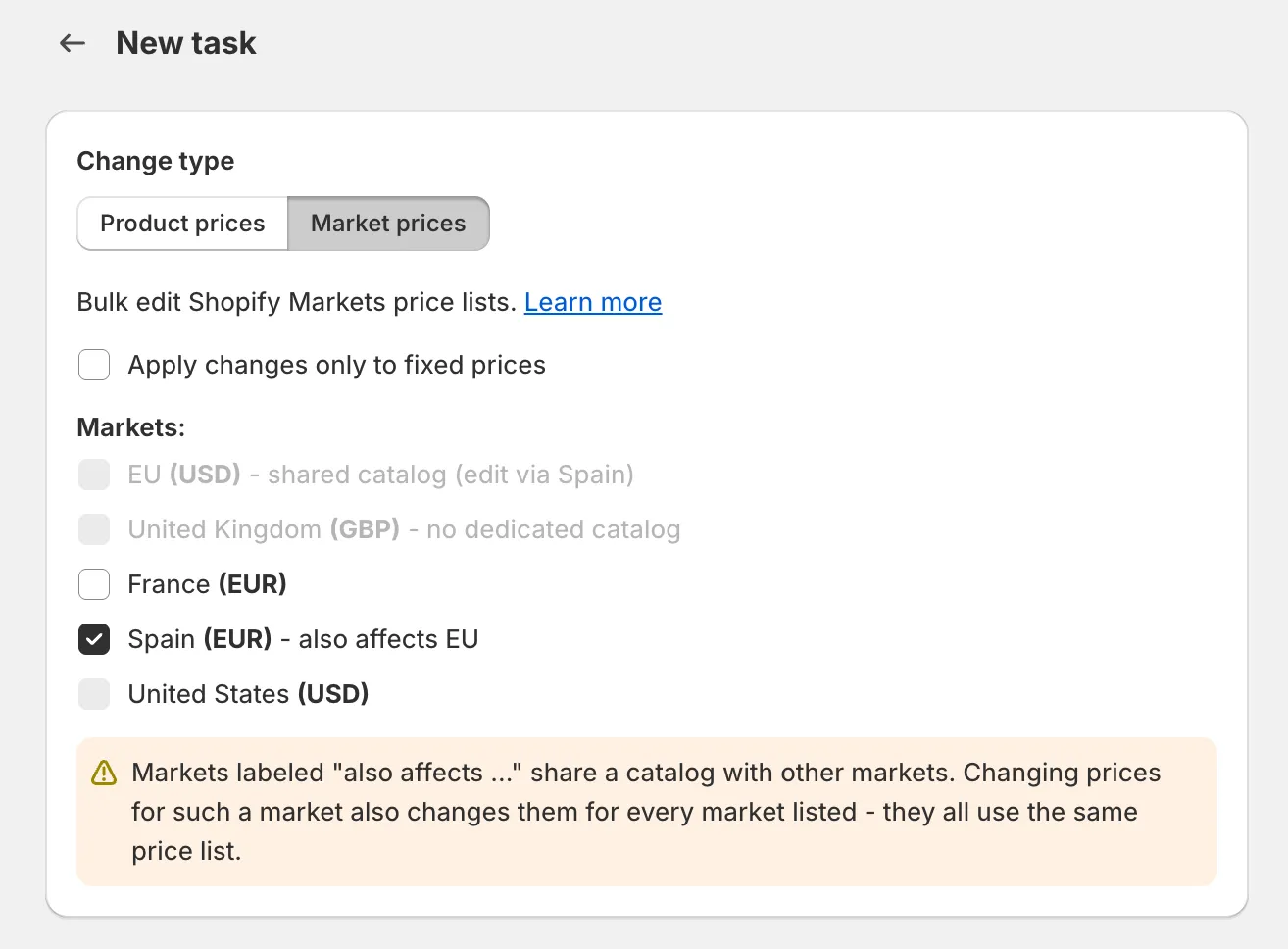
Markets that share a catalog with other markets used to be skipped for price changes - they showed up with no dedicated catalog and couldn’t be selected. Now you can edit them.

Market selector with an editable market labeled to show the other markets it also affects, plus a warning banner about shared catalogs
Read more →

Set price ending rounding

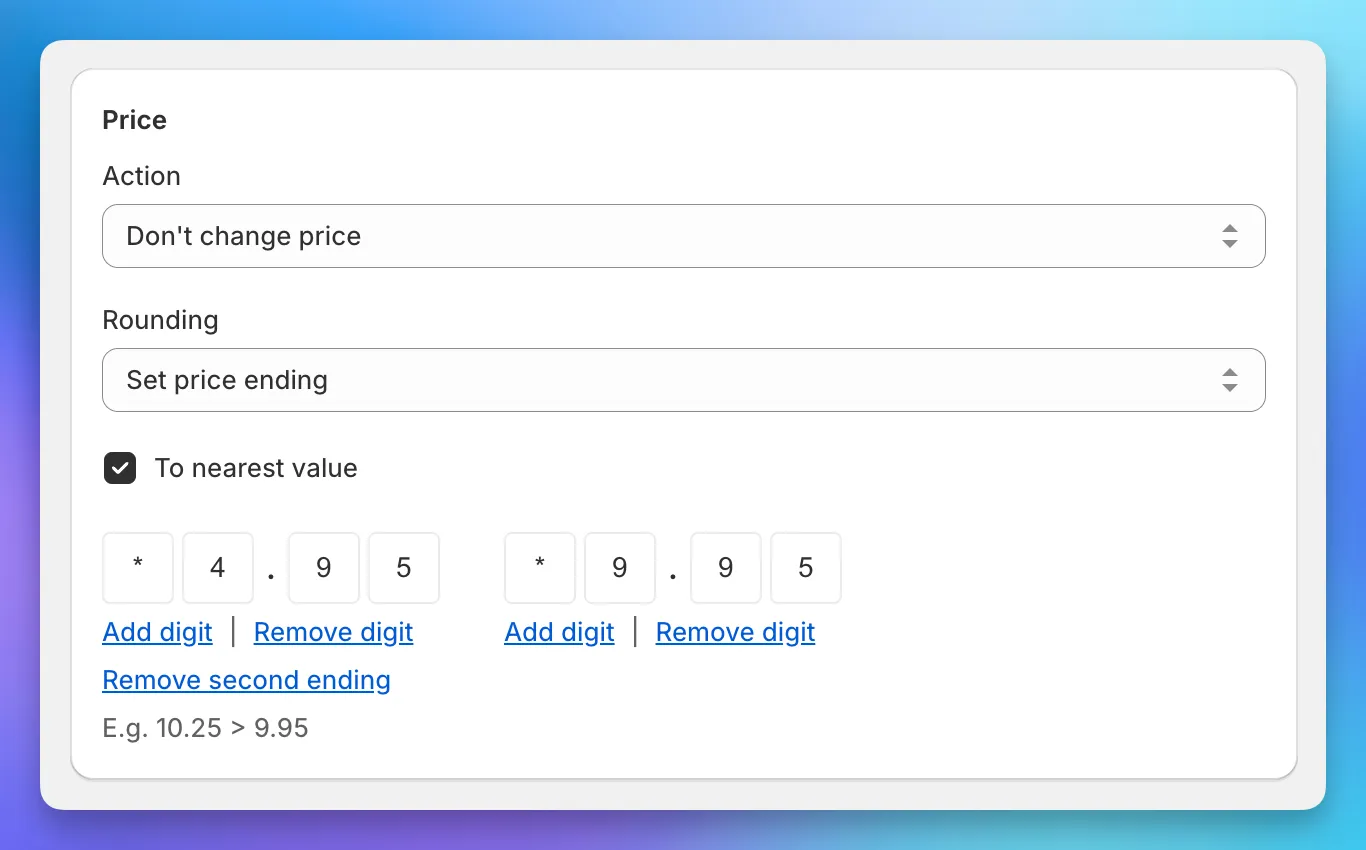
The rounding section now has a new option: Set price ending. It lets you define a digit pattern like *.95 or *9.99, and prices will be rounded to match that ending after your percentage or fixed-amount change is applied.

Task creation form showing the rounding dropdown set to Set price ending with digit-box inputs displaying a *.95 pattern
Read more →

Search tasks and sales

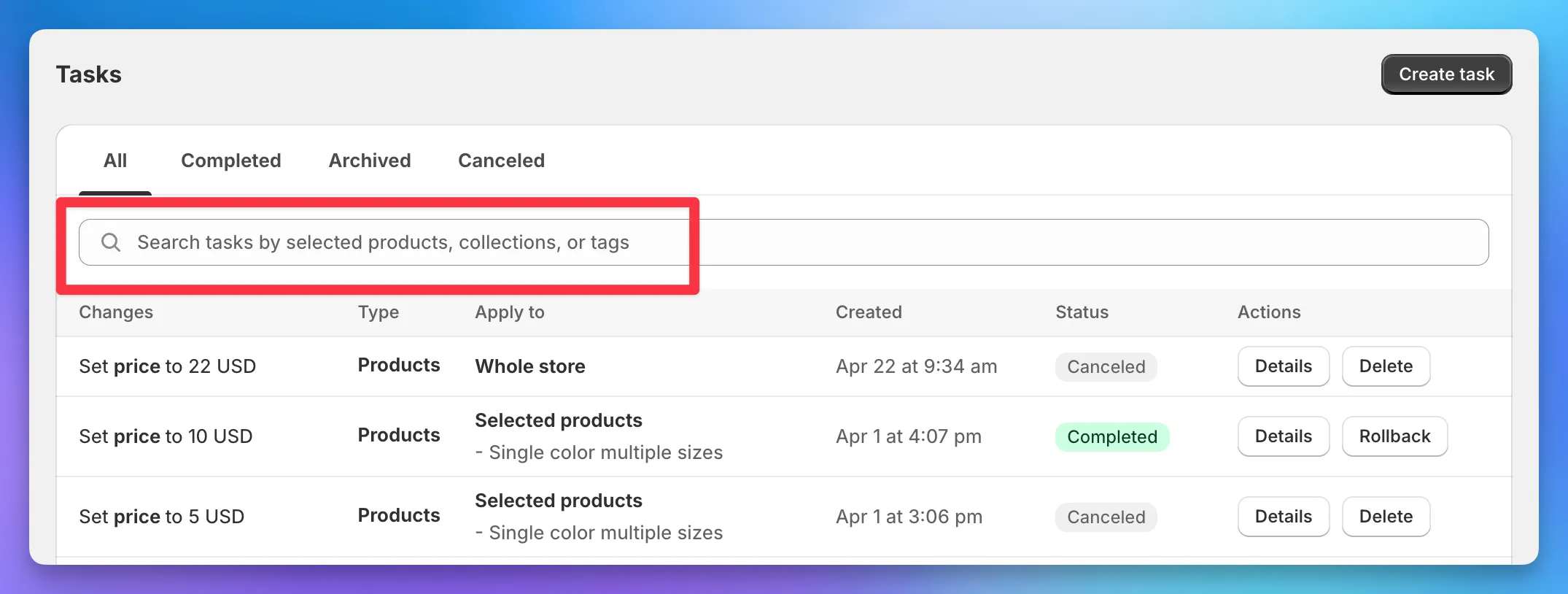
Tasks and sales lists now have search. You can search by selected products, collections, or tags. Sales can also be searched by title.

Tasks index page with a search field filtering results by product title

Auto-reapply price changes for tasks

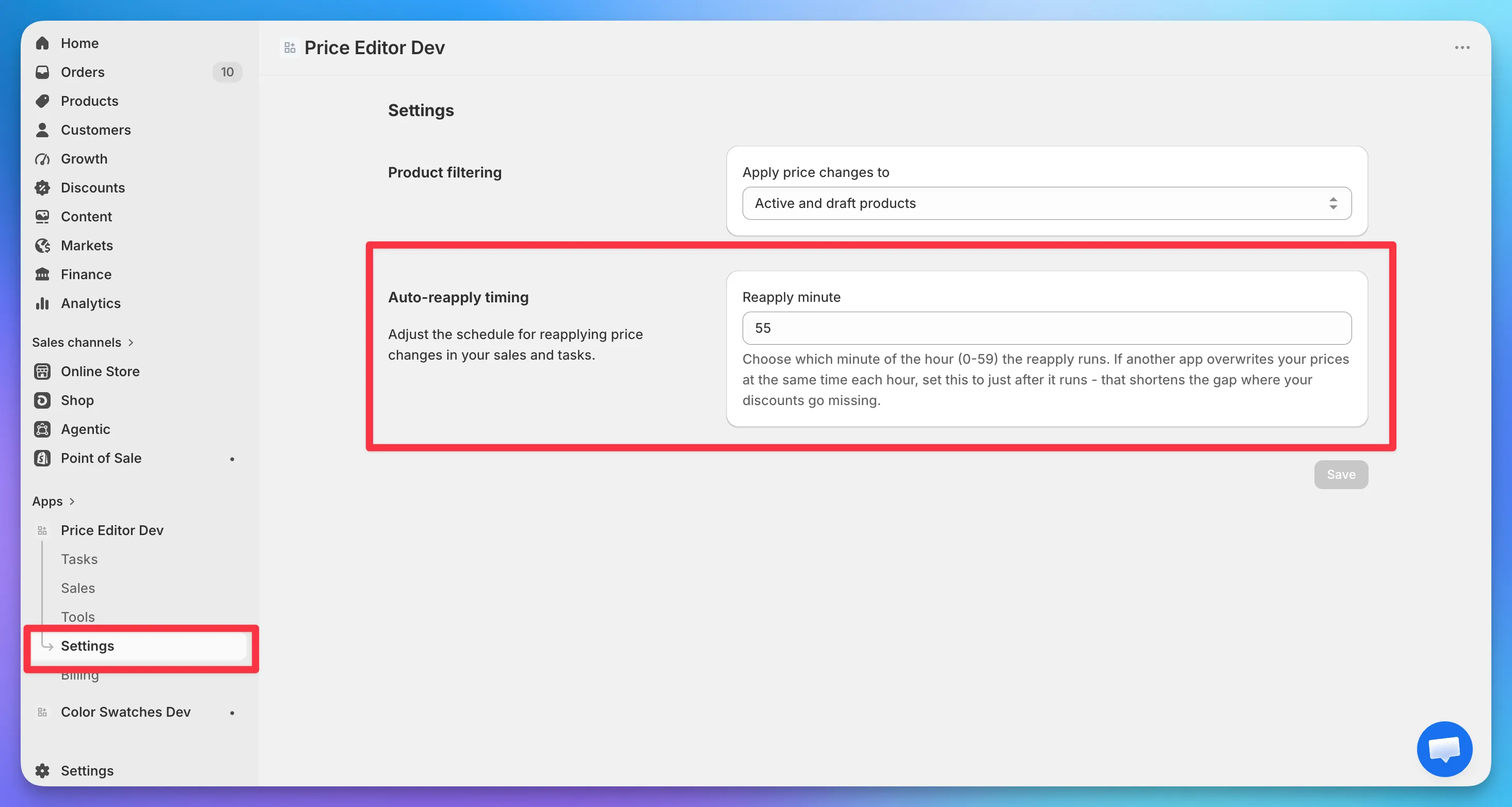
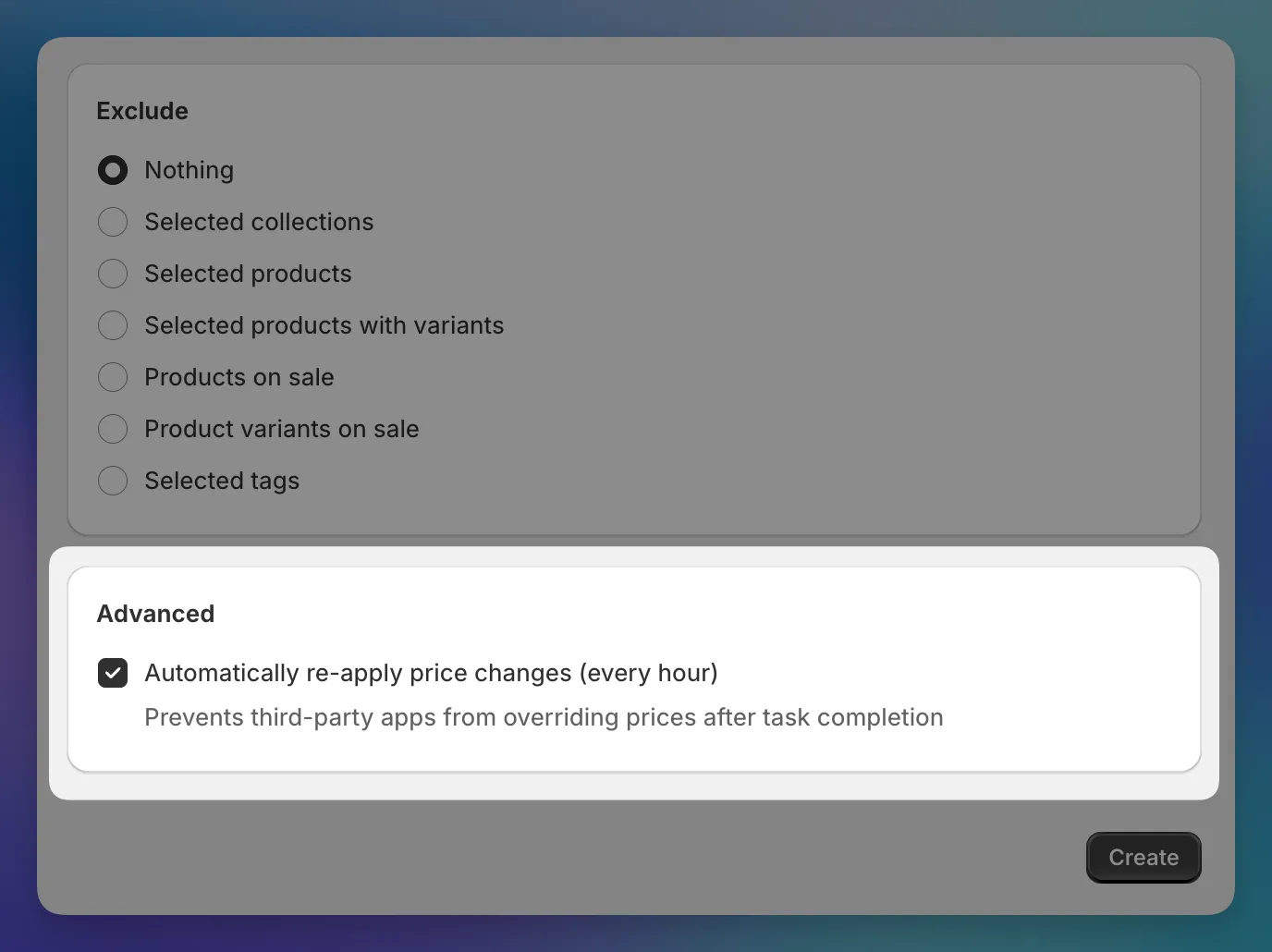
If you use a dropshipping supplier or an inventory app that syncs product data, you’ve probably seen it overwrite the prices you just set in our app. To prevent this, you can now enable auto-reapply for tasks.

Task creation form with auto-reapply checkbox in the Advanced section
Read more →