
Block discount codes during a sale
To keep discount codes from stacking on top of sale prices, restrict the codes to products that aren’t on sale. Shopify doesn’t have a direct “exclude sale items” switch, but an automated collection gets you the same result.
1. Create a collection of non-sale products
Section titled “1. Create a collection of non-sale products”- In your Shopify admin, go to Products > Collections and click Create collection.
- Select Automated as the collection type.
- Add the condition Compare at price is empty.
- Name it something like
Eligible for discount codesand save.
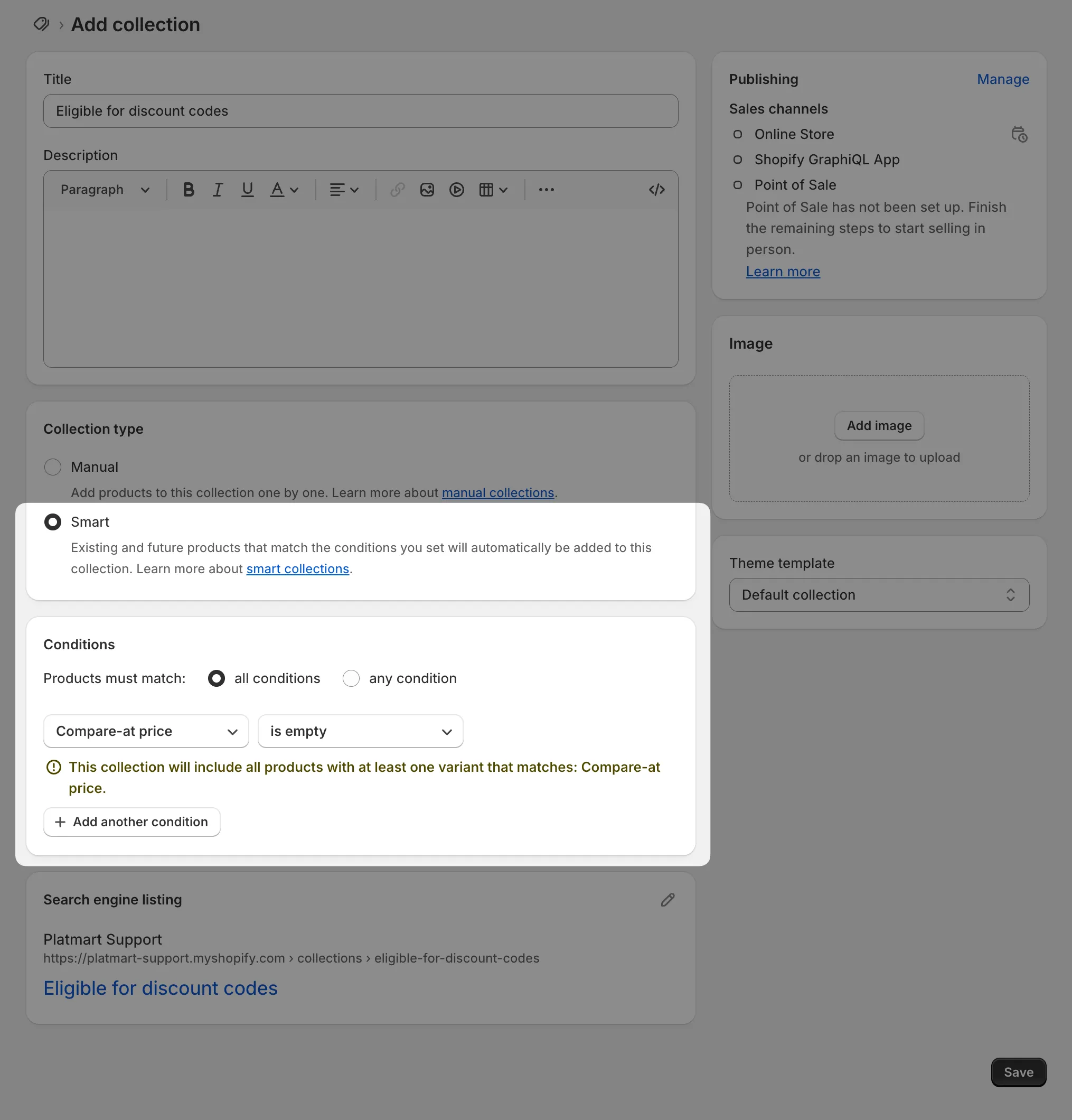
Products on sale have a compare at price set (that’s what shows the crossed-out original), so this collection holds exactly the products that aren’t discounted. When a sale starts or ends, Shopify updates the collection on its own.
2. Restrict your discount codes
Section titled “2. Restrict your discount codes”- Open the discount code in your Shopify admin.
- Under Applies to, select Specific collections and pick
Eligible for discount codes. - Save the discount.
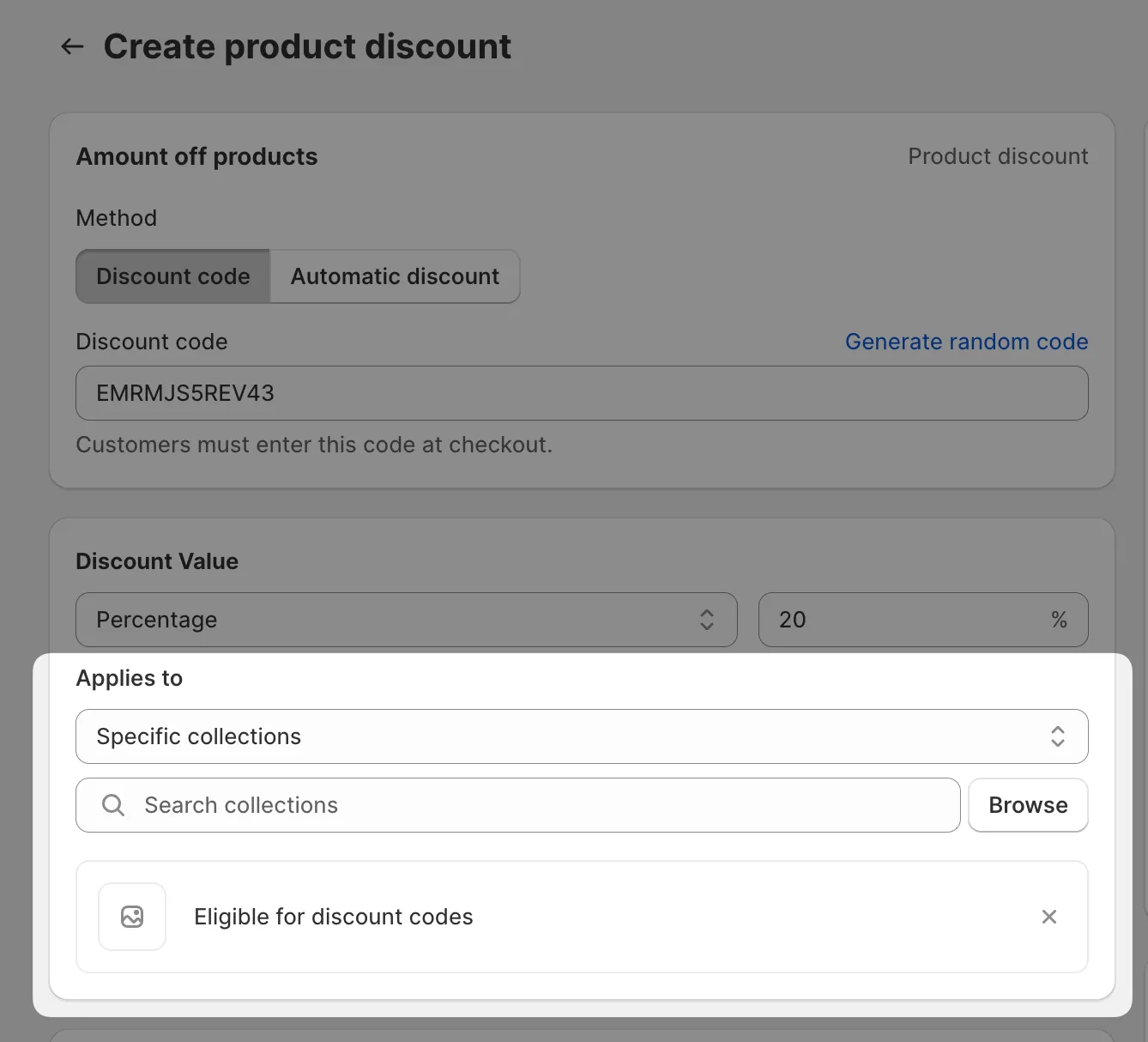
The code now works on full-price products only.