
Edit cost per item
Cost per item is the Shopify field that records what a product costs you. Keeping it current is what makes margin and markup pricing possible. Cost per item editing requires the Advanced plan or higher.
Here’s a 20% cost increase, end to end:
Update costs in bulk
Section titled “Update costs in bulk”Say your supplier raised prices by 5%:
- Click Create task.
- Under Cost per item, select Increase cost per item and enter
5percent. - Under Apply to, select the affected products, then click Create task.
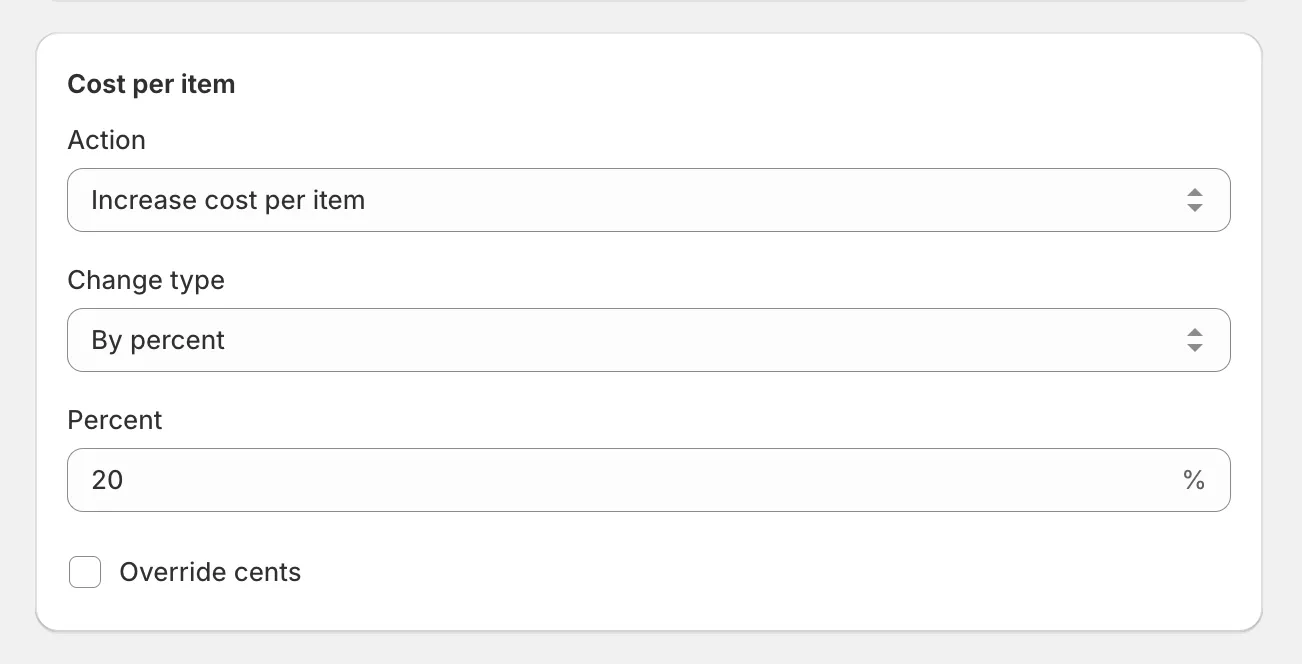
The other actions work the same way:
- Decrease cost per item - by a percent or amount.
- Set new cost per item - one value for every selected variant.
- Reset cost per item - remove the value.
Tasks that touch cost per item take about twice as long as price-only tasks - the app makes extra API requests to read costs. See how long price changes take.
With costs updated, you can reprice from them in the same task or a follow-up: set margin or apply a markup.