
Target products by price
To change prices only for products under or over a certain price, filter them with an automated collection in Shopify, then point the task at that collection.
1. Create an automated collection
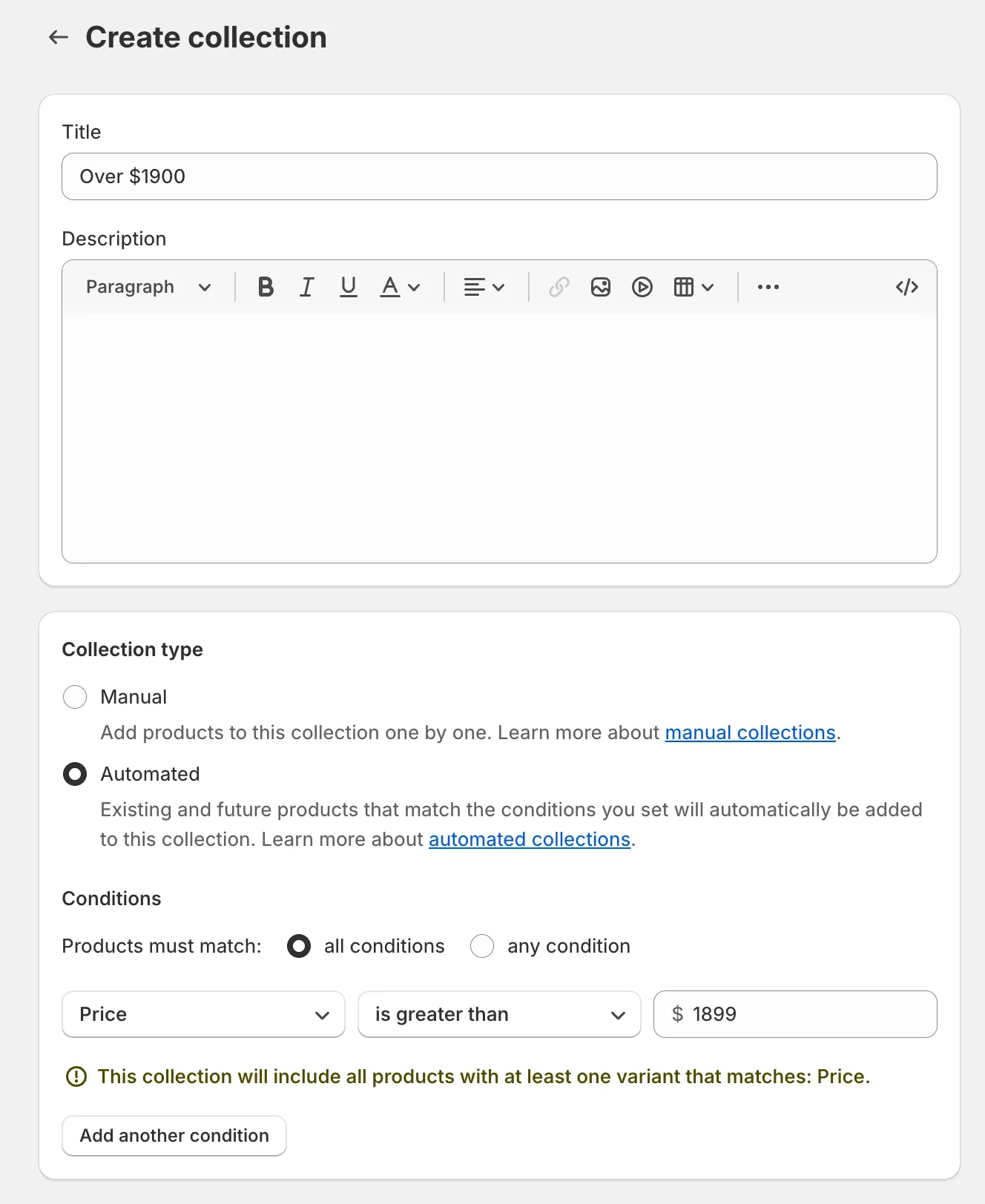
Section titled “1. Create an automated collection”- In your Shopify admin, go to Products > Collections and click Create collection.
- Select Automated as the collection type.
- Add a condition like
Priceis less than50(oris greater than, whatever fits). - Save the collection. Shopify fills it with every matching product and keeps it current.
The collection doesn’t have to be visible on your storefront - leave it out of your navigation.
2. Apply the task to the collection
Section titled “2. Apply the task to the collection”- In Bulk Price Editor, click Create task and configure the price change.
- Under Apply to, select Selected collections and pick the collection you created.
- Click Create task.
The same trick works for sales, and for any other filter automated collections support - vendor, product type, weight, inventory, and so on.