
Edit price markup
Markup is your profit relative to what the product costs you:
markup = 100 × (revenue - cost) / costA product that costs $25 and sells for $100 has a 300% markup. The app prices products at a fixed markup by increasing the price relative to each product’s cost per item. Markup editing requires the Advanced plan or higher.
Apply a markup
Section titled “Apply a markup”- Click Create task.
- Under Price, select Increase price, set it relative to Cost per item, and enter the markup percent.
- Under Apply to, select the products, then click Create task.
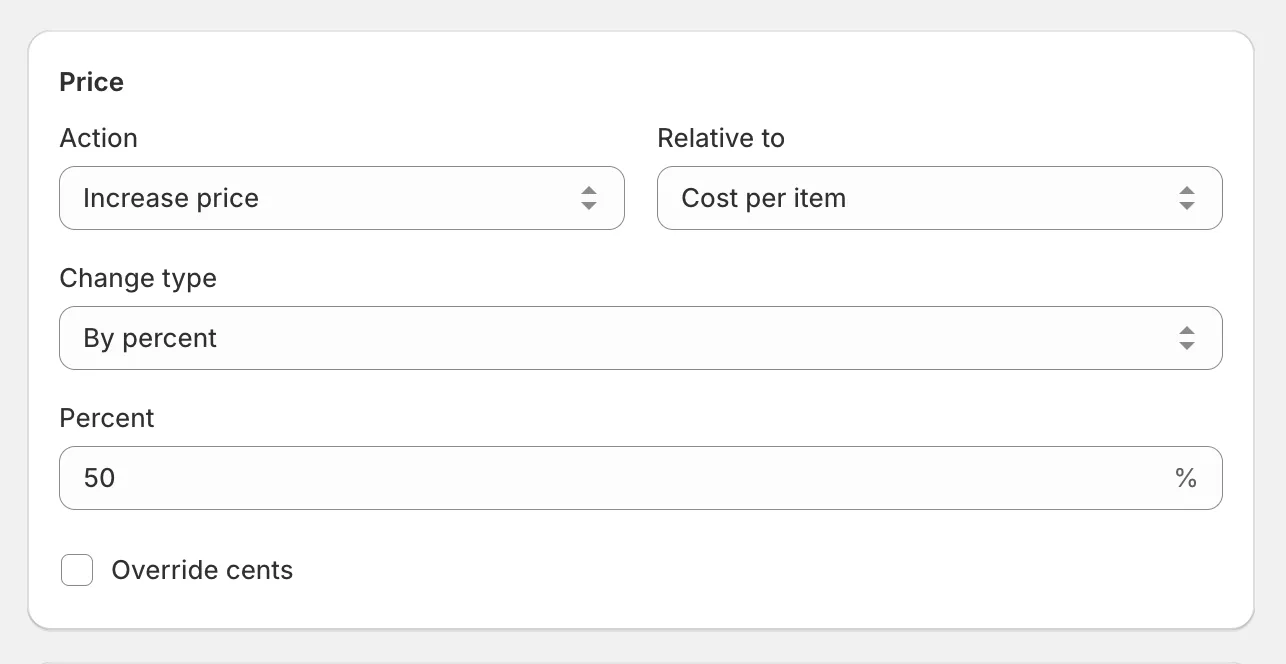
The app calculates each variant’s price from its cost per item and applies it. Products without a cost per item are skipped - fill in costs first with edit cost per item.
If you think in margin (profit as a share of the selling price) rather than markup, see edit profit margin.